
🔐 Password Security 2026: നിങ്ങളുടെ അക്കൗണ്ടുകൾ സുരക്ഷിതമാക്കാനുള്ള പൂർണ്ണ ഗൈഡ്
ഇന്നത്തെ ഡിജിറ്റൽ ലോകത്ത് password ആണ് നിങ്ങളുടെ എല്ലാ online accountsന്റെ ആദ്യ സുരക്ഷാ കവചം. Banking, Gmail, Facebook, Instagram, UPI, shopping sites — എല്ലാം password വഴി access ചെയ്യുന്നു. ഒരു password leak ആയാൽ, പല accounts compromise ആകാൻ സാധ്യതയുണ്ട്. അതുകൊണ്ട് password security എന്നത് വളരെ serious ആയ ഒരു വിഷയം ആണ്.
പലരും simple passwords ഉപയോഗിക്കുന്നതാണ് വലിയ പ്രശ്നം. “123456”, “password”, “name123” പോലുള്ള passwords വളരെ easy ആയി hack ചെയ്യാം. Hackers brute force attack, dictionary attack, phishing തുടങ്ങിയ methods ഉപയോഗിച്ച് passwords കണ്ടെത്തുന്നു. അതുകൊണ്ട് strong password ഉപയോഗിക്കുന്നത് അനിവാര്യമാണ്.
Password hack ചെയ്യുന്നത് എങ്ങനെ നടക്കുന്നു എന്ന് ആദ്യം മനസ്സിലാക്കണം. Hackers ആദ്യം നിങ്ങളുടെ email target ചെയ്യും. Email access കിട്ടിയാൽ, “forgot password” വഴി മറ്റു accounts access ചെയ്യാം. അതിനാൽ email password ഏറ്റവും strong ആയിരിക്കണം.
—
🧠 Weak Password എന്തുകൊണ്ട് അപകടകരമാണ്?
Weak password ഉപയോഗിച്ചാൽ hackerക്ക് seconds കൊണ്ട് crack ചെയ്യാൻ കഴിയും. Automated tools ഉപയോഗിച്ച് millions combinations try ചെയ്യും. Short password ആയാൽ crack time വളരെ കുറയും. അതിനാൽ password length വളരെ important ആണ്.
Strong password ഉണ്ടാക്കാൻ:
Minimum 12–16 characters
Uppercase + lowercase + numbers + symbols
Random words combination
Personal details avoid ചെയ്യുക
—
🔑 Strong Password എങ്ങനെ ഉണ്ടാക്കാം?
Example:
❌ weak: riyas123
✅ strong: R!yaS@2026#Secure
Phrase method ഉപയോഗിക്കാം:
👉 “MyBankIsSafe2026!”
ഇത് easy to remember + hard to crack ആണ്.

—
🔐 Password Reuse – ഏറ്റവും വലിയ mistake
പലരും ഒരേ password എല്ലായിടത്തും ഉപയോഗിക്കുന്നു. ഇത് വളരെ dangerous ആണ്. ഒരു site leak ആയാൽ എല്ലാ accounts compromise ആകും.
👉 Gmail + Facebook + Banking = same password ❌
Always different passwords ഉപയോഗിക്കുക.
—
🛡️ Two Factor Authentication (2FA)
Password മാത്രം പോര. Extra layer security വേണം.
2FA enable ചെയ്താൽ:
Password + OTP
Password + biometric
ഇത് hacker access തടയും.
—
📱 Image Example (Password Security Concept)
Caption:
👉 Strong password + 2FA ആണ് digital securityയുടെ base.
—
🚨 Common Password Mistakes
Same password reuse ചെയ്യുന്നത്
Short password
Personal info ഉപയോഗിക്കുന്നത്
Password note appൽ save ചെയ്യുന്നത്
OTP screenshot save ചെയ്യുന്നത്
—
🧰 Password Manager ഉപയോഗിക്കണോ?
Yes 👍
Password manager:
Secure ആയി store ചെയ്യും
Auto generate strong password
Remember ചെയ്യേണ്ടതില്ല
Example tools:
Google Password Manager
Bitwarden
LastPass
—
📊 Real Life Scenario
ഒരു user Facebook password same Gmailൽ ഉപയോഗിച്ചു. Facebook hack ആയപ്പോൾ hacker Gmail reset ചെയ്തു. പിന്നീട് banking access നേടി. ഇത് password reuse കാരണം ആണ്.

—
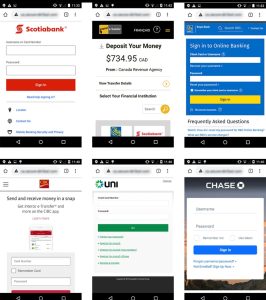
📱 Phishing വഴി Password Theft
Caption:
👉 Fake login pages വഴി password steal ചെയ്യുന്നു.
—
Phishing വഴി password steal ചെയ്യുന്നത് വളരെ common ആണ്. Fake login page open ചെയ്ത് user details enter ചെയ്താൽ hackerക്ക് access ലഭിക്കും.
Avoid ചെയ്യാൻ:
URL verify ചെയ്യുക
Official app മാത്രം use ചെയ്യുക
Unknown links click ചെയ്യരുത്
—
🔄 Password Change എത്ര സമയം ഇടവിട്ട്?
👉 Every 2–3 months change ചെയ്യുക
👉 Suspicious activity കണ്ടാൽ ഉടൻ change ചെയ്യുക
—
🔐 Device Security Important ആണ്
Password strong ആണെങ്കിലും device insecure ആണെങ്കിൽ risk ഉണ്ട്.
Phone lock enable ചെയ്യുക
App lock ഉപയോഗിക്കുക
Unknown apps remove ചെയ്യുക
Software update ചെയ്യുക
—
📱 Mobile Security Example
Caption:
👉 Mobile security ഇല്ലെങ്കിൽ password പോലും useless ആണ്.
—
📊 Additional Safety Tips
OTP ഒരിക്കലും save ചെയ്യരുത്
Password WhatsAppൽ share ചെയ്യരുത്
Public computer avoid ചെയ്യുക
Browser auto-save disable ചെയ്യുക
—
👨👩👧 Family Awareness
Parentsക്കും eldersക്കും password safety explain ചെയ്യണം. അവർ easy passwords ഉപയോഗിക്കാറുണ്ട്. ഇത് risk ആണ്.
—
❓ FAQ Section
Q1: Strong password length എത്ര വേണം?
👉 Minimum 12 characters.
Q2: Password manager safe ആണോ?
👉 Yes, trusted tools safe ആണ്.
Q3: Same password reuse ചെയ്യാമോ?
👉 No, വളരെ dangerous.
Q4: OTP save ചെയ്യാമോ?
👉 No.
Q5: 2FA जरूरी ആണോ?
👉 Yes, must
mage Usage Tips (IMPORTANT)
File name rename ചെയ്യുക
👉 password-security-guide.jpg
Alt text add ചെയ്യുക
👉 “strong password security illustration”
4–5 images മതിയാകും
🔐 Advanced Password Protection Techniques
Password security basic levelൽ മാത്രം നിർത്തിയാൽ മതിയാകില്ല. ഇന്ന് hackers കൂടുതൽ advanced techniques ഉപയോഗിക്കുന്നു. അതിനാൽ usersക്കും advanced protection methods അറിയേണ്ടതാണ്. ആദ്യം login alerts enable ചെയ്യുക. പല appsക്കും “new device login alert” option ഉണ്ടാകും. ഇത് ON ചെയ്താൽ, നിങ്ങളുടെ account മറ്റൊരു deviceൽ login ചെയ്താൽ ഉടൻ notification ലഭിക്കും. ഇത് early warning ആയി പ്രവർത്തിക്കും.
Browser securityയും ശ്രദ്ധിക്കണം. Chrome, Firefox പോലുള്ള browsers password save ചെയ്യാൻ option നൽകും. പക്ഷേ shared devicesൽ ഇത് avoid ചെയ്യണം. Public computerൽ ഒരിക്കലും password save ചെയ്യരുത്. Incognito mode ഉപയോഗിക്കുന്നത് safer ആണ്. Logout ചെയ്യാതെ tab close ചെയ്യുന്നത് വലിയ mistake ആണ്.
Email security വീണ്ടും emphasize ചെയ്യണം. കാരണം എല്ലാ accountsനും base email ആണ്. Email hack ആയാൽ banking, social media, shopping എല്ലാം hack ആകാൻ സാധ്യതയുണ്ട്. അതിനാൽ email password ഏറ്റവും strong ആക്കണം. Two-step verification enable ചെയ്യണം. Recovery email, phone number correct ആയി update ചെയ്തിരിക്കണം.
Data breach എന്നത് മറ്റൊരു വലിയ risk ആണ്. ചില websites hack ആയാൽ user data leak ആകും. Email + password combinations dark webൽ എത്തും. അതിനാൽ regular ആയി password change ചെയ്യുന്നത് important ആണ്. “Have I Been Pwned” പോലുള്ള tools ഉപയോഗിച്ച് നിങ്ങളുടെ email leak ആയിട്ടുണ്ടോ എന്ന് check ചെയ്യാം.
Password sharing completely avoid ചെയ്യണം. ചിലർ Netflix, accounts share ചെയ്യുന്നതുപോലെ banking password പോലും share ചെയ്യാറുണ്ട്. ഇത് വളരെ അപകടകരമാണ്. Even close friendsക്കും password share ചെയ്യരുത്. Trust വേറെ, security വേറെ.
Mobile apps permissions ശ്രദ്ധിക്കണം. ചില apps unnecessary permissions ചോദിക്കും. Contacts, SMS, storage access എന്നിവ misuse ചെയ്യാൻ സാധ്യത ഉണ്ട്. Banking apps ഒഴികെ മറ്റുള്ള appsക്ക് sensitive permissions നൽകുന്നത് avoid ചെയ്യണം.
Keylogger attacks എന്നത് കുറച്ച് advanced threat ആണ്. Malware install ആയാൽ keyboard input capture ചെയ്യാം. അതിനാൽ unknown apps install ചെയ്യരുത്. Antivirus app ഉപയോഗിക്കുന്നത് നല്ലതാണ്. Regular scan നടത്തുക.
Auto-fill feature ചിലപ്പോൾ dangerous ആണ്. Browser stored passwords auto-fill ചെയ്യും. Device compromised ആണെങ്കിൽ hackerക്ക് easy access ലഭിക്കും. അതിനാൽ sensitive accountsക്ക് auto-fill disable ചെയ്യുന്നത് safer ആണ്.
Cloud backup ഉപയോഗിക്കുമ്പോൾ encryption enable ചെയ്യണം. Password notes cloudൽ plain text ആയി save ചെയ്യരുത്. Secure vault apps ഉപയോഗിക്കുക.
Digital security ഒരു one-time setup അല്ല. ഇത് continuous process ആണ്. Regular ആയി update ചെയ്യണം. New fraud methods പഠിക്കണം. Awareness update ചെയ്താൽ മാത്രമേ safe ആയി തുടരാൻ കഴിയൂ.
🔐 Password Security Best Practices For Daily Use
Password security ഒരിക്കൽ set ചെയ്താൽ മതി എന്നല്ല. അത് daily lifeൽ follow ചെയ്യേണ്ട ഒരു habit ആണ്. പലരും strong password create ചെയ്യും, പക്ഷേ പിന്നീട് careless ആയി ഉപയോഗിക്കും. ഇത് avoid ചെയ്യണം. ഓരോ ദിവസവും ചെറിയ കാര്യങ്ങൾ ശ്രദ്ധിച്ചാൽ വലിയ security issues ഒഴിവാക്കാൻ കഴിയും.
ആദ്യം, login ചെയ്യുന്ന device trusted ആണോ എന്ന് ഉറപ്പാക്കണം. Unknown computer അല്ലെങ്കിൽ cyber cafe പോലുള്ള സ്ഥലങ്ങളിൽ banking അല്ലെങ്കിൽ important accounts login ചെയ്യുന്നത് avoid ചെയ്യണം. Public systemsൽ keylogger install ചെയ്തിട്ടുണ്ടാകാം. അത് നിങ്ങളുടെ password capture ചെയ്യും. അതിനാൽ personal device മാത്രം ഉപയോഗിക്കുക.
WiFi security വളരെ important ആണ്. Home WiFi പോലും strong password ഉപയോഗിച്ച് secure ആക്കണം. Default router password മാറ്റണം. WPA2 അല്ലെങ്കിൽ WPA3 security enable ചെയ്യണം. Open WiFi networks avoid ചെയ്യണം. Hacker-കൾ network sniffing വഴി data capture ചെയ്യാം.
Password typing ചെയ്യുമ്പോൾ surroundings ശ്രദ്ധിക്കണം. Shoulder surfing എന്ന attack ഉണ്ടാകാം. Public placeൽ ആരെങ്കിലും നോക്കിക്കൊണ്ടിരിക്കാം. അതിനാൽ PIN അല്ലെങ്കിൽ password enter ചെയ്യുമ്പോൾ screen cover ചെയ്യുക.
Password hints ഉപയോഗിക്കുമ്പോൾ ശ്രദ്ധിക്കണം. ചില websites hint ചോദിക്കും. Hint too obvious ആകരുത്. Example: “Your pet name” പോലുള്ള hints guess ചെയ്യാൻ easy ആണ്. Complex hint ഉപയോഗിക്കുക.
Backup codes ഉപയോഗിക്കുന്നത് നല്ലതാണ്. 2FA enable ചെയ്താൽ backup codes ലഭിക്കും. ഇത് safe placeൽ store ചെയ്യണം. Phone നഷ്ടപ്പെട്ടാൽ account recover ചെയ്യാൻ ഇത് സഹായിക്കും.
Auto login avoid ചെയ്യണം. Convenience വേണ്ടി പലരും auto login enable ചെയ്യുന്നു. പക്ഷേ device lost ആയാൽ മറ്റൊരാൾക്ക് direct access ലഭിക്കും. Sensitive appsൽ auto login disable ചെയ്യുക.
App updates ignore ചെയ്യരുത്. Developers security vulnerabilities fix ചെയ്യാൻ updates release ചെയ്യും. Update ചെയ്യാത്താൽ old bugs exploit ചെയ്യാൻ hackerക്ക് chance ലഭിക്കും.
Notifications silence ചെയ്യുന്നത് avoid ചെയ്യണം. Banking alerts mute ചെയ്താൽ suspicious activity miss ചെയ്യാം. Important apps notifications ON വെക്കണം.
Password reset emails ശ്രദ്ധിക്കണം. നിങ്ങൾ request ചെയ്തിട്ടില്ലെങ്കിൽ reset email ignore ചെയ്യരുത്. അത് hacking attempt ആയിരിക്കാം. ഉടൻ password change ചെയ്യുക.
Children device use ചെയ്യുമ്പോൾ parental control enable ചെയ്യണം. അവർ unknowingly malicious apps install ചെയ്യാം. ഇത് security risk ആണ്.
Travel സമയത്ത് extra caution വേണം. Public networks, shared systems എന്നിവ avoid ചെയ്യണം. Temporary VPN ഉപയോഗിക്കുന്നത് safer ആണ്.
Digital discipline maintain ചെയ്യണം. ഓരോ accountയും responsibly use ചെയ്യണം. Lazy habits ഒഴിവാക്കണം. Security mindset develop ചെയ്യണം.